Part D — Storage (admin)
Path: /datastore Lead: Each row is a datastore. Test writes and reads 16 MB, then shows the speed.
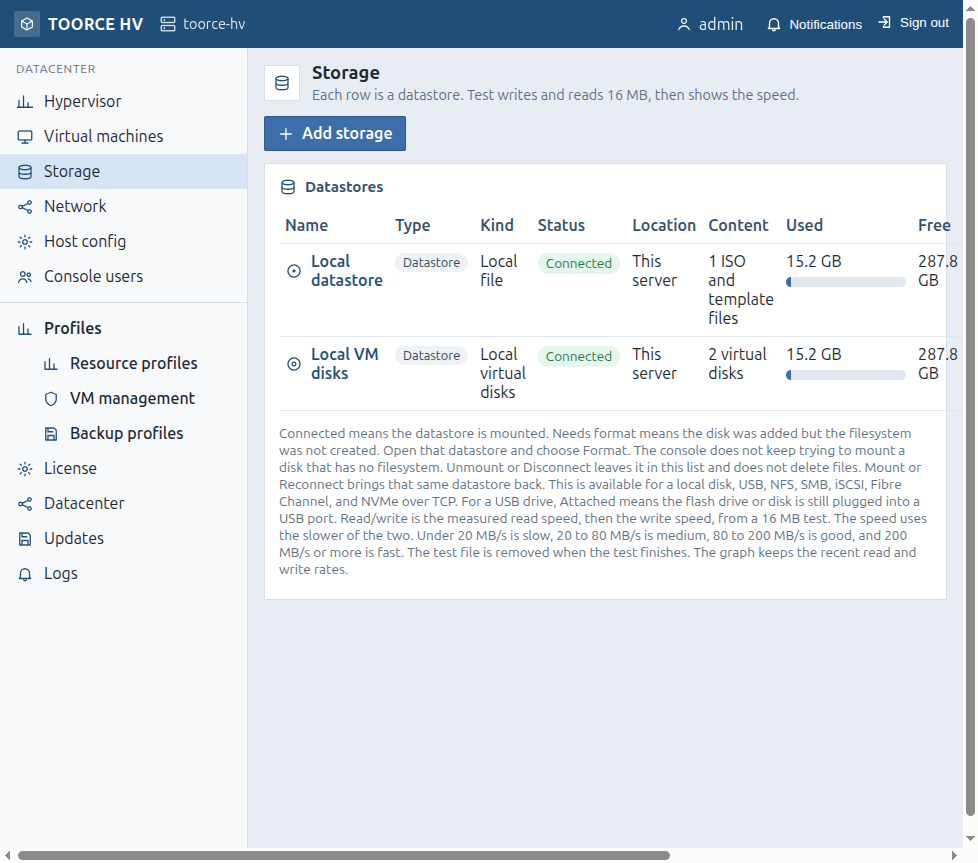 Figure D.1 — Storage list
D.1 Storage list
Page actions
| Button | Action |
|---|
| Add storage | Opens /datastore/add |
Built-in rows
| Row | Meaning |
|---|
| Local datastore | ISO images and templates on the data volume |
| Local VM disks | Guest disk images on the data volume |
Per-datastore controls (typical)
| Control | Meaning |
|---|
| Open | Browse folders, files, disks (/datastore/open?id=) |
| Mount / Reconnect | Bring the datastore online |
| Unmount / Disconnect | Take offline; row stays in the list |
| Speed / Test | Writes and reads a 16 MB file, then removes it; shows MB/s tier |
| Status badges | Connected, Needs format, USB Attached, etc. |
Datastores stay separate. Two SANs or a NAS and a USB stick are never merged into one pool.
D.2 Add storage — /datastore/add
| Field | When | Meaning |
|---|
| Name | Always | Label in the console |
| Storage type | Always | Local disk / RAID / LVM · USB · NFS 3 · NFS 4.1 · SMB · iSCSI · Fibre Channel · NVMe over TCP |
| Device checkboxes | Disk / USB / FC | Physical targets to use |
| Show partitions | Block | Reveal partitions on a disk |
| Format every ticked … as ext4 | Block | Format before first use (destructive) |
| NAS servers or exports | NFS | Server and export path |
| Servers or shares · User · Password | SMB | Share credentials (SMB is for files, not guest disks) |
| SAN portals | iSCSI | Portal addresses |
| NVMe address / Port / Subsystem | NVMe/TCP | Discovery target |
| Button | Action |
|---|
| Find | Discover targets for the selected type |
| Refresh | Re-scan USB |
| Add datastore | Add (and start format if requested) |
| Cancel | Return to the list |
Until format reaches 100%, VMs must not use that datastore.
D.3 Open a datastore — /datastore/open?id=
| Control | Action |
|---|
| Mount / Reconnect | Online |
| Unmount / Disconnect | Offline; config kept |
| Remove | Remove from list; files on it are not deleted |
| Format | Destructive reformat (confirm) |
| Create folder | New folder with a display label |
| Upload | ISO or template into current folder |
| Copy / Move panel | Transfer files between datastores/folders |
| Share with a cluster | Export folder to datacenter members (when clustered) |
| Virtual disks table | Disk images on this store |
| Files browser | List / delete files |
D.4 Folder-based storage
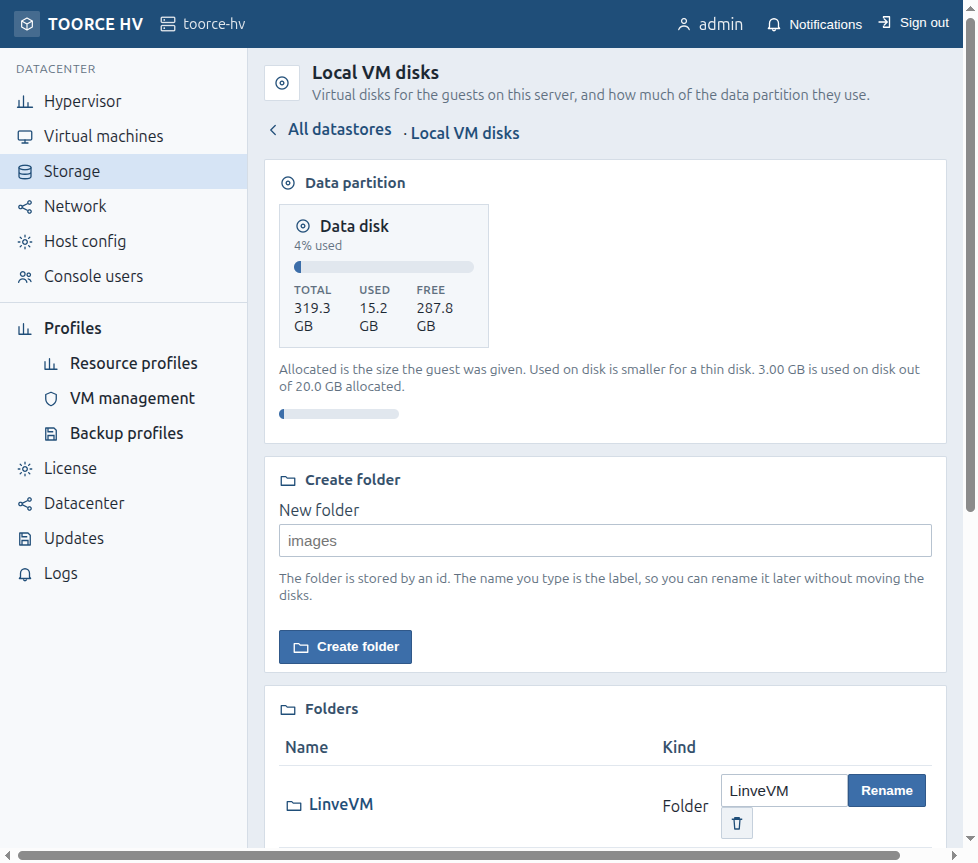 Figure D.2 — Folders on a datastore
| Field / action | Meaning |
|---|
| New folder / Create folder | Creates a folder; the name you type is a label; the system stores an id |
| Folder list | Browse into a folder for ISOs, templates, or disks |
| Rename / Delete folder | Rename label or remove empty folder (UI confirms) |
When creating a VM disk you pick Datastore and optional Folder (or datastore root).
D.5 Local datastore and local VM disks
Local datastore (/datastore/local): upload ISO (.iso) or template (.img / .raw); delete unused media.
Local VM disks (/datastore/vm): data-partition usage; create folders; list virtual disk files; delete unattached images only.