TOORCE Firewall — Administrator Guide
Welcome to the TOORCE Firewall administration guide. This documentation covers all areas of the web-based admin panel accessible at your firewall management URL (default: https://<firewall-ip>:10443).
Getting started
Sign in
- Open the admin panel URL in your browser.
- Enter your Username and Password.
- Complete the Security Check captcha: type the characters shown in the image and click Verify.
- Click Sign In.
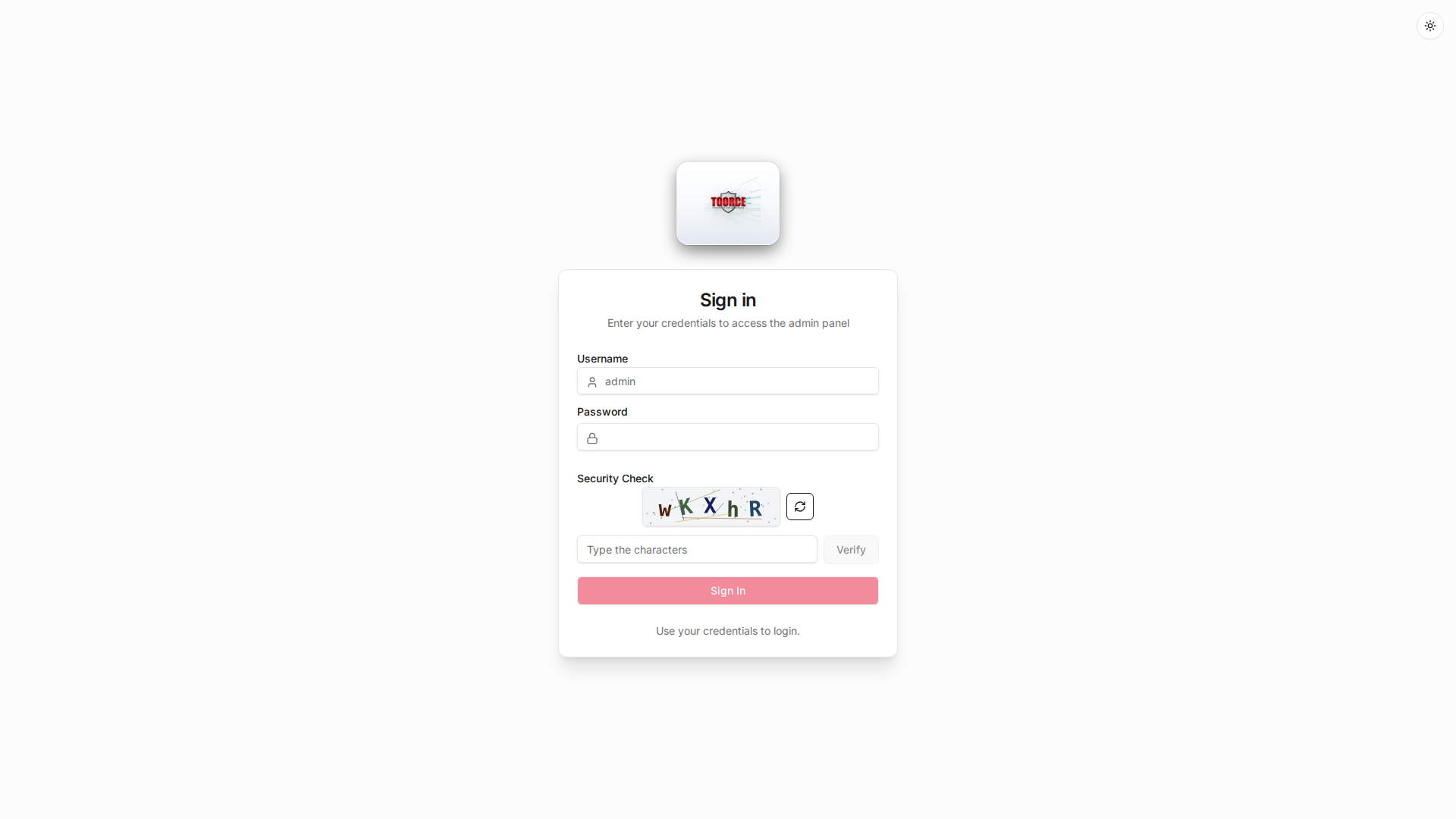
Note: The Sign In button is enabled only after the captcha is verified successfully.
Admin panel layout
The interface consists of:
- Sidebar navigation (left) — main configuration areas
- Content area (center) — settings, tables, and dashboards
- Header (top) — theme toggle and user profile
Guide sections
📋 Object Reference
What objects exist, where they are used, and recommended configuration order.
🔧 Scenarios
Step-by-step guides: NAT gateway, network diagrams, and deployment walkthroughs.
Overview
Configure overview settings and policies.
Scenarios
Configure scenarios settings and policies.
System Settings
Configure system settings settings and policies.
User Management
Configure user management settings and policies.
Network Settings
Configure network settings settings and policies.
Aliases & Objects
Configure aliases & objects settings and policies.
Auth & Users
Configure auth & users settings and policies.
SDWAN
Configure sdwan settings and policies.
Rules & Policies
Configure rules & policies settings and policies.
Security Profiles
Configure security profiles settings and policies.
DNS Security
DNSSEC validation, threat intel, filtering, anti-tunneling, DGA detection, and DNS logging.
VPN Tunnels
Configure vpn tunnels settings and policies.
Event & Monitor
Configure event & monitor settings and policies.
Logs & Events
Configure logs & events settings and policies.
Reference
This guide was generated from the TOORCE Firewall web interface (Version 3, Build 11, Patch 8).
Related documentation
© TOORCE Firewall