IPS Security
Navigation: Logs & Events
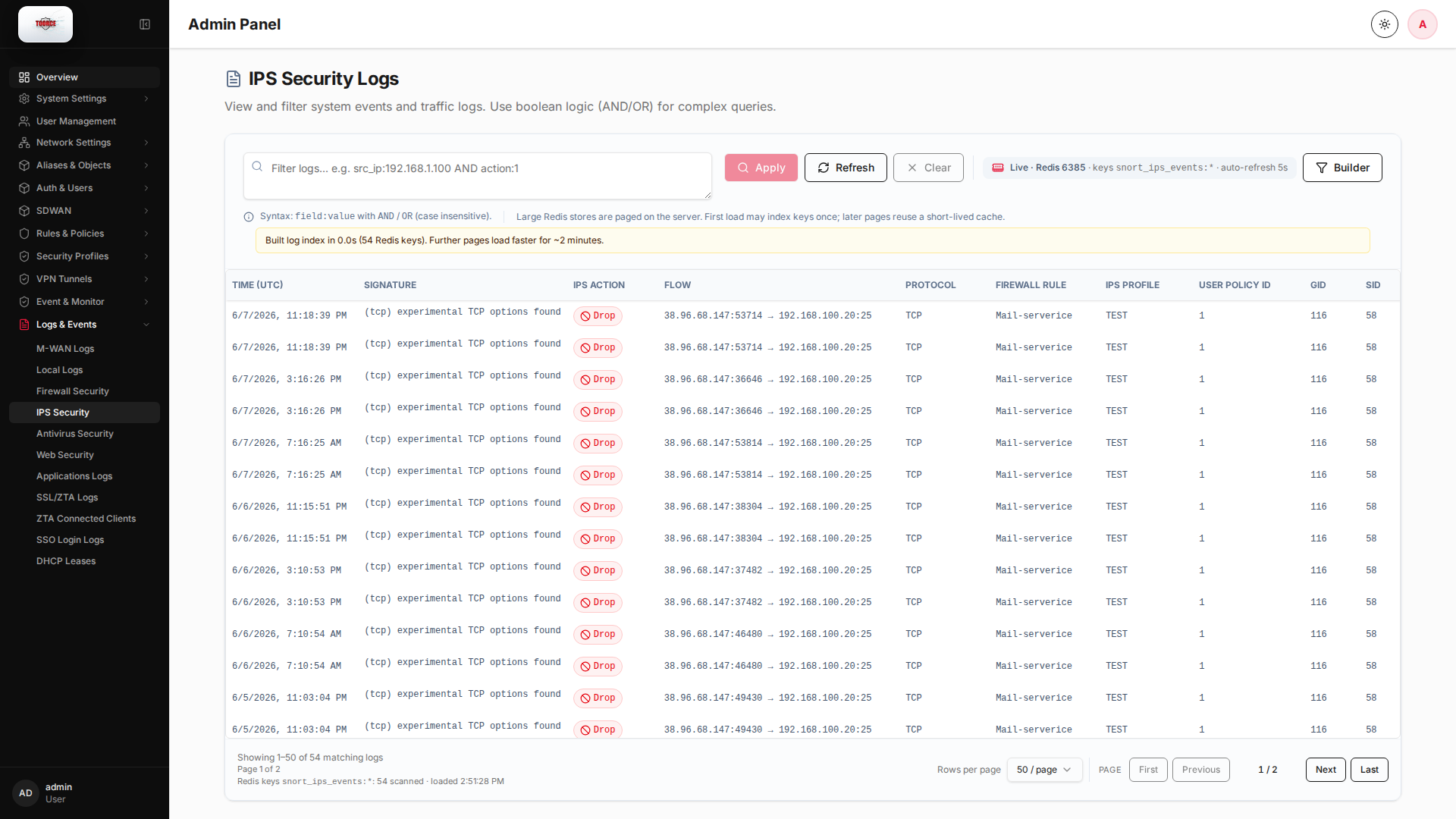
View and filter system events and traffic logs. Use boolean logic (AND/OR) for complex queries.
Technical background
IPS event logs
IPS logs record signature matches from the Snort engine. Each event includes the signature name, action taken, and the full 5-tuple flow (src IP:port → dst IP:port, protocol).
Event correlation
High-frequency events from one source IP may indicate scanning or exploitation attempts. Cross-reference with firewall logs to see if traffic was ultimately allowed or dropped.
Page sections
- IPS Security Logs
Available actions
- Apply
- Refresh
- Clear
- Builder
- Column Options
- Add Column
- 50 / page
- First
- Previous
- Next
- Last
Table columns
- TIME (UTC) Column Options
- SIGNATURE Column Options
- IPS ACTION Column Options
- FLOW Column Options
- PROTOCOL Column Options
- FIREWALL RULE Column Options
- IPS PROFILE Column Options
- USER POLICY ID Column Options
- GID Column Options
- SID Column Options
- Add Column