SSL VPN Multi-Pool Access
Navigation: Scenarios → SSL VPN Multi-Pool
Deploy ZTA/SSL Access for remote users with one or more client IP pools. Each pool is a separate SSL VPN profile (tun_srv_* interface) so you can enforce full network separation — staff, contractors, and guests each get different address ranges and different LAN access rules.
Every SSL VPN deployment needs two inline rules per pool (or shared listen rule if same port/VIP):
| # | Rule purpose | Source interface | Destination interface | Rule type |
|---|---|---|---|---|
| 1 | Allow Internet → VPN listen (VIP/port) | WAN | Local VIP | dnat (VIP) |
| 2 | Allow connected users → LAN assets | SSL VPN (tun_srv_*) |
LAN | policy |
Example network
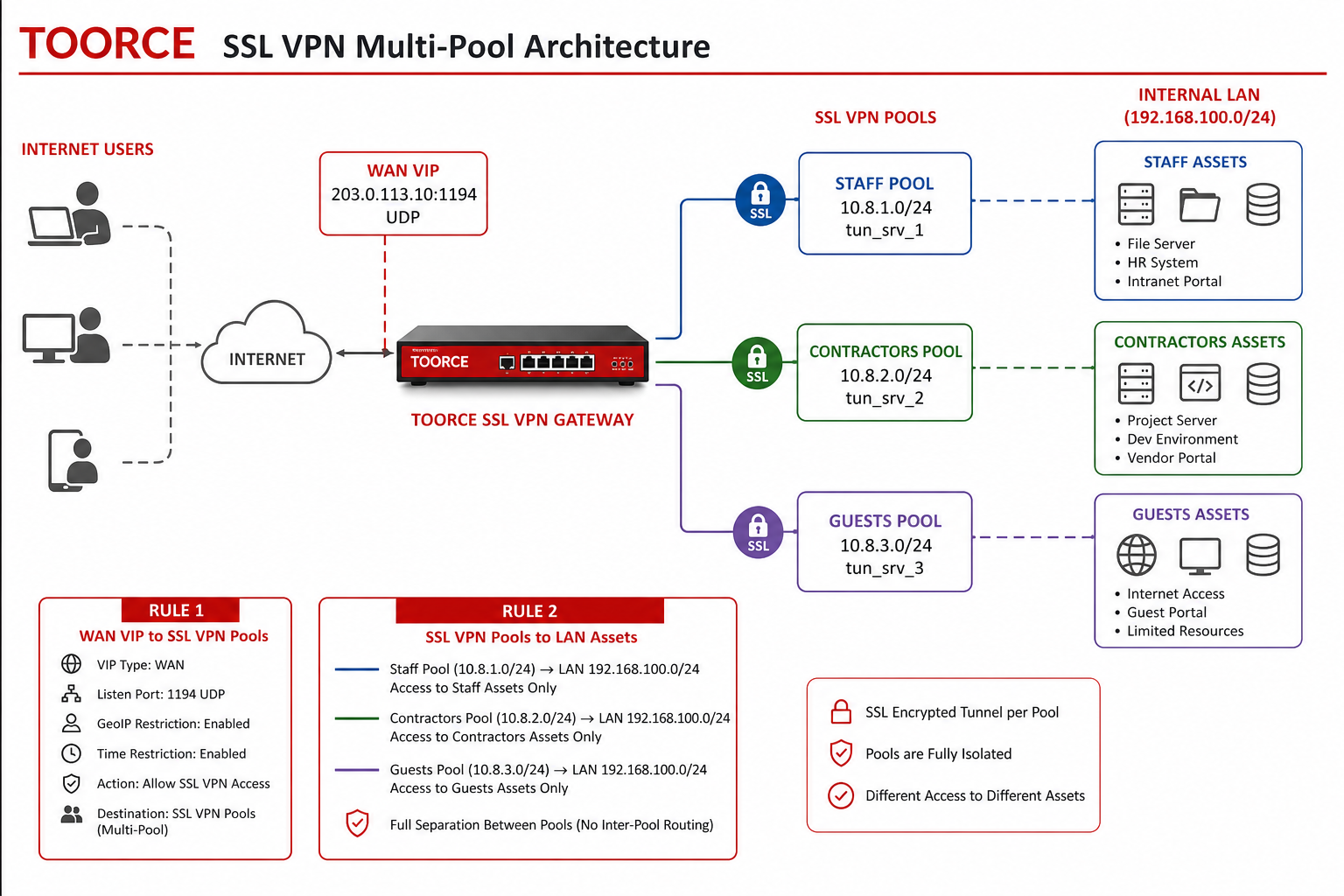
Figure 1 — Multiple pools, VIP listen rule, VPN-to-LAN rules
Firewall interfaces
| Interface | Role | Example |
|---|---|---|
enp9s0 (WAN) |
Public internet | 203.0.113.10 |
enp6s0 (LAN) |
Internal assets | 192.168.100.1/24 |
tun_srv_1 (SSL-VPN-Staff) |
Staff VPN clients | Pool 10.8.1.0/24 |
tun_srv_2 (SSL-VPN-Contractors) |
Contractor VPN | Pool 10.8.2.0/24 |
tun_srv_3 (SSL-VPN-Guests) |
Guest VPN | Pool 10.8.3.0/24 |
SSL VPN profiles (multi-pool)
| Profile name | Listen IP | Port | VPN IP pool | Allowed users | LAN access (Rule 2) |
|---|---|---|---|---|---|
SSL-VPN-Staff |
203.0.113.10 |
1194 |
10.8.1.0/24 |
staff_users |
Full LAN 192.168.100.0/24 |
SSL-VPN-Contractors |
203.0.113.10 |
1195 |
10.8.2.0/24 |
contractor_users |
Server 192.168.100.50 only |
SSL-VPN-Guests |
203.0.113.10 |
1196 |
10.8.3.0/24 |
guest_users |
Guest Wi-Fi 192.168.100.200 |
Each profile creates its own
tun_srv_Ninterface. Pools must not overlap (10.8.1.0/24,10.8.2.0/24, …).
Prerequisites
- Local Users/Groups or Active Directory
- WAN interface with a public or reachable Listen IP
- Address objects and Port objects
- Optional: Time Profiles, GeoIP Profiles — see Time & GeoIP LAN Access
Step 1 — Address and port objects
Aliases & Objects → Address:
| Object | Type | Value |
|---|---|---|
WAN_VIP_Listen |
Host | 203.0.113.10/32 |
LAN_Network |
Network | 192.168.100.0/24 |
LAN_Server_App |
Host | 192.168.100.50/32 |
LAN_Guest_Portal |
Host | 192.168.100.200/32 |
SSL_Pool_Staff |
Network | 10.8.1.0/24 |
SSL_Pool_Contractors |
Network | 10.8.2.0/24 |
SSL_Pool_Guests |
Network | 10.8.3.0/24 |
Aliases & Objects → Ports:
| Object | Protocol | Port |
|---|---|---|
SSL-VPN-Staff-1194 |
UDP/TCP | 1194 |
SSL-VPN-Contractors-1195 |
UDP/TCP | 1195 |
SSL-VPN-Guests-1196 |
UDP/TCP | 1196 |
Step 2 — Create SSL VPN profiles (one per pool)
Go to VPN Tunnels → ZTA/SSL Access → + Add New for each pool.
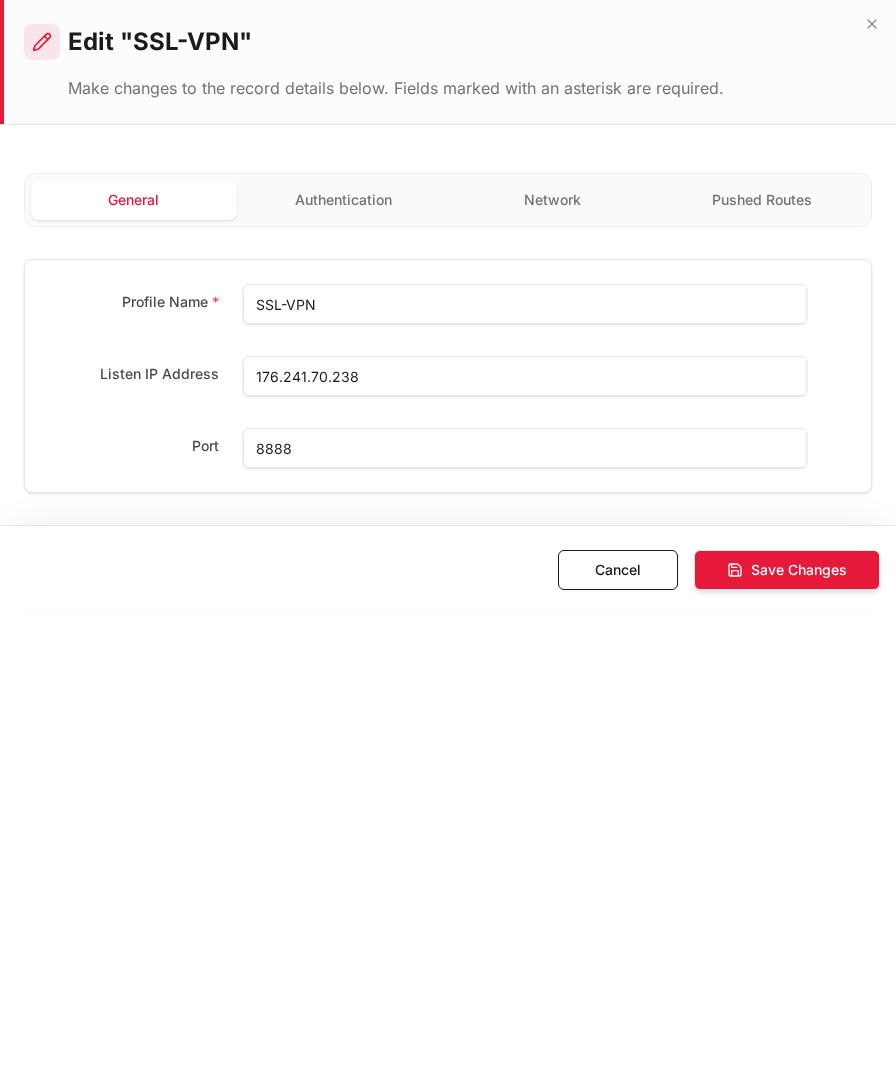
General tab
| Field | Staff example |
|---|---|
| Profile Name * | SSL-VPN-Staff |
| Listen IP Address | 203.0.113.10 |
| Port | 1194 |
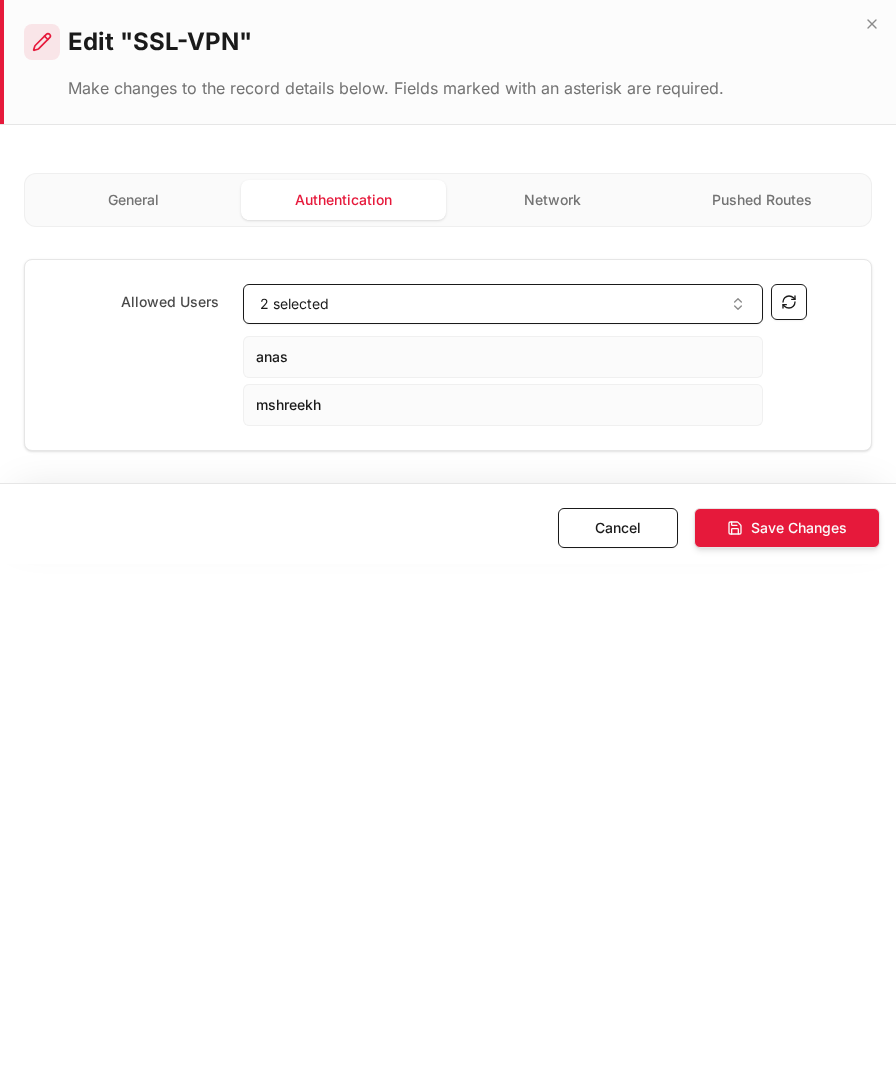
Authentication tab
| Field | Example |
|---|---|
| Allowed Users | staff_users group only |
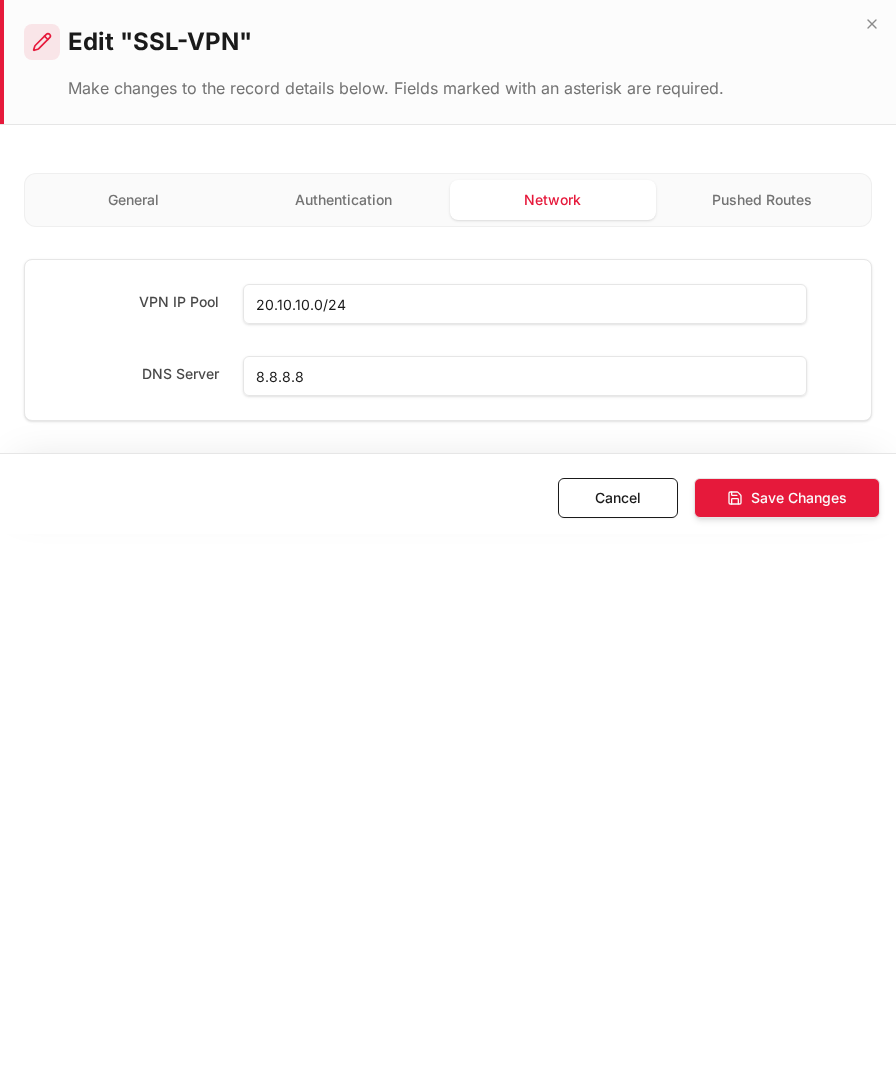
Network tab
| Field | Staff | Contractors | Guests |
|---|---|---|---|
| VPN IP Pool | 10.8.1.0/24 |
10.8.2.0/24 |
10.8.3.0/24 |
| DNS Server | 192.168.100.1 |
192.168.100.1 |
8.8.8.8 |
Pushed Routes tab (optional)
Add only the subnets each pool may reach (split tunnel):
| Profile | Pushed route |
|---|---|
| Staff | 192.168.100.0/24 |
| Contractors | 192.168.100.50/32 |
| Guests | 192.168.100.200/32 |
Repeat + Add New for SSL-VPN-Contractors and SSL-VPN-Guests with different port, pool, and users.
See ZTA/SSL Access.
Step 3 — Rule 1: Allow Internet → VPN listen (VIP / dnat)
Create one rule per listen port (or one rule with multiple port objects if supported).
Rules & Policies → Inline Rules → + Add New
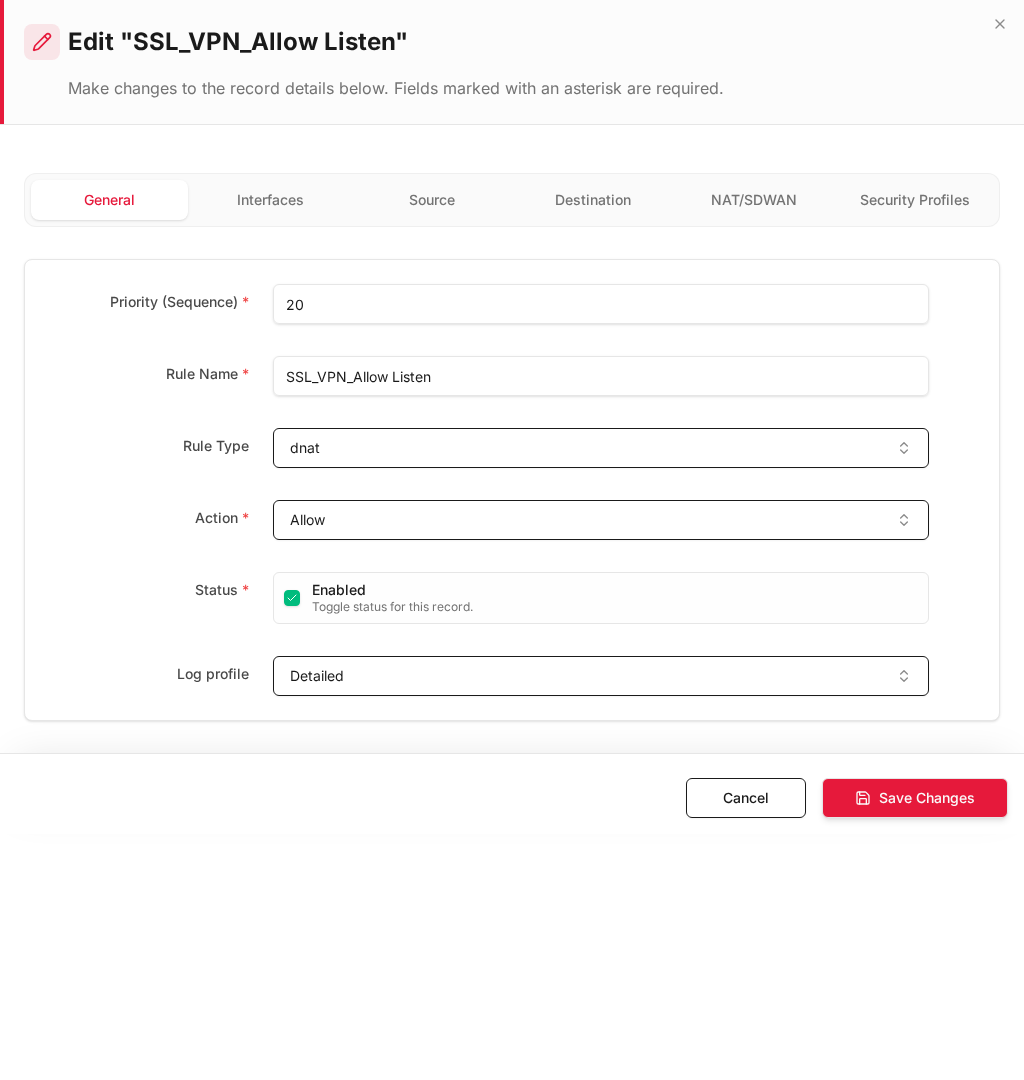
General
| Field | Example |
|---|---|
| Rule Name | SSL_VPN_Allow_Listen_Staff |
| Rule Type | dnat (VIP-style publish rule) |
| Action | Allow |
| Status | Enabled |
Interfaces
| Field | Value | Notes |
|---|---|---|
| Source Interface * | enp9s0 (WAN) |
Traffic arrives from the internet on WAN |
| Destination Interface * | Local VIP |
Publish listen address to outside |
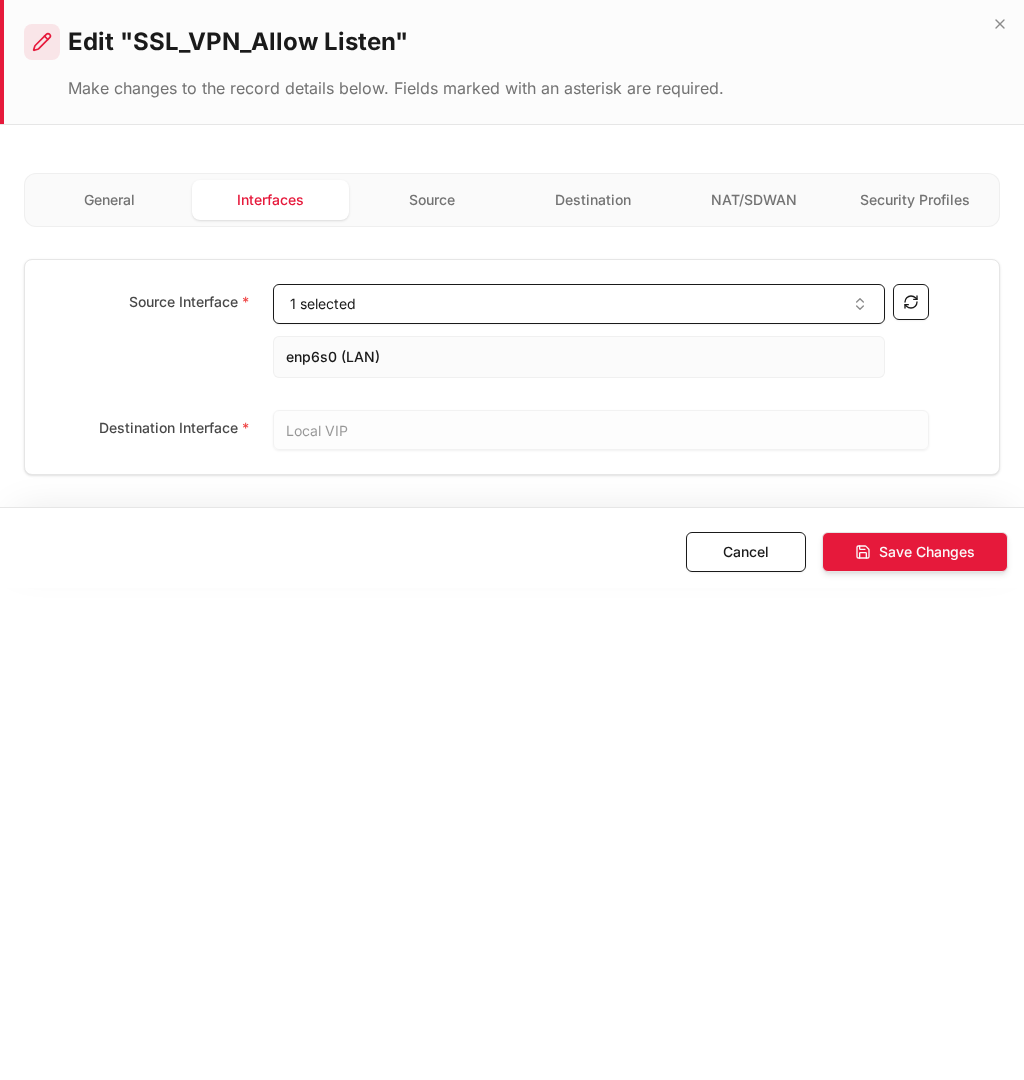
Important: Source interface must be WAN (
enp9s0), not LAN. Destination interface isLocal VIP.
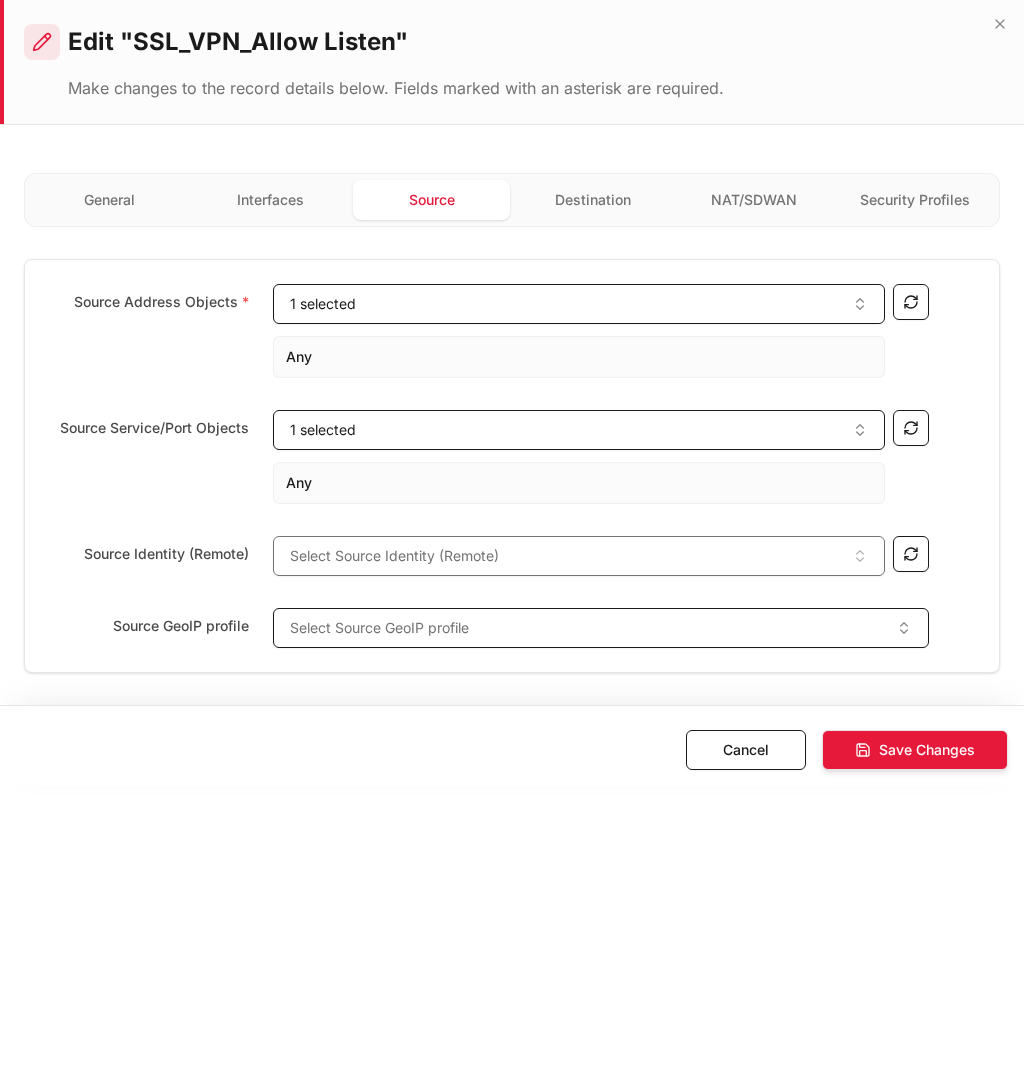
Source tab — restrict country / address (optional)
| Field | Example |
|---|---|
| Source Address Objects | Any (or specific partner IPs) |
| Source Service/Port Objects | Any |
| Source GeoIP profile | Allow_Source_Gulf_Only (whitelist AE, SA, OM) |
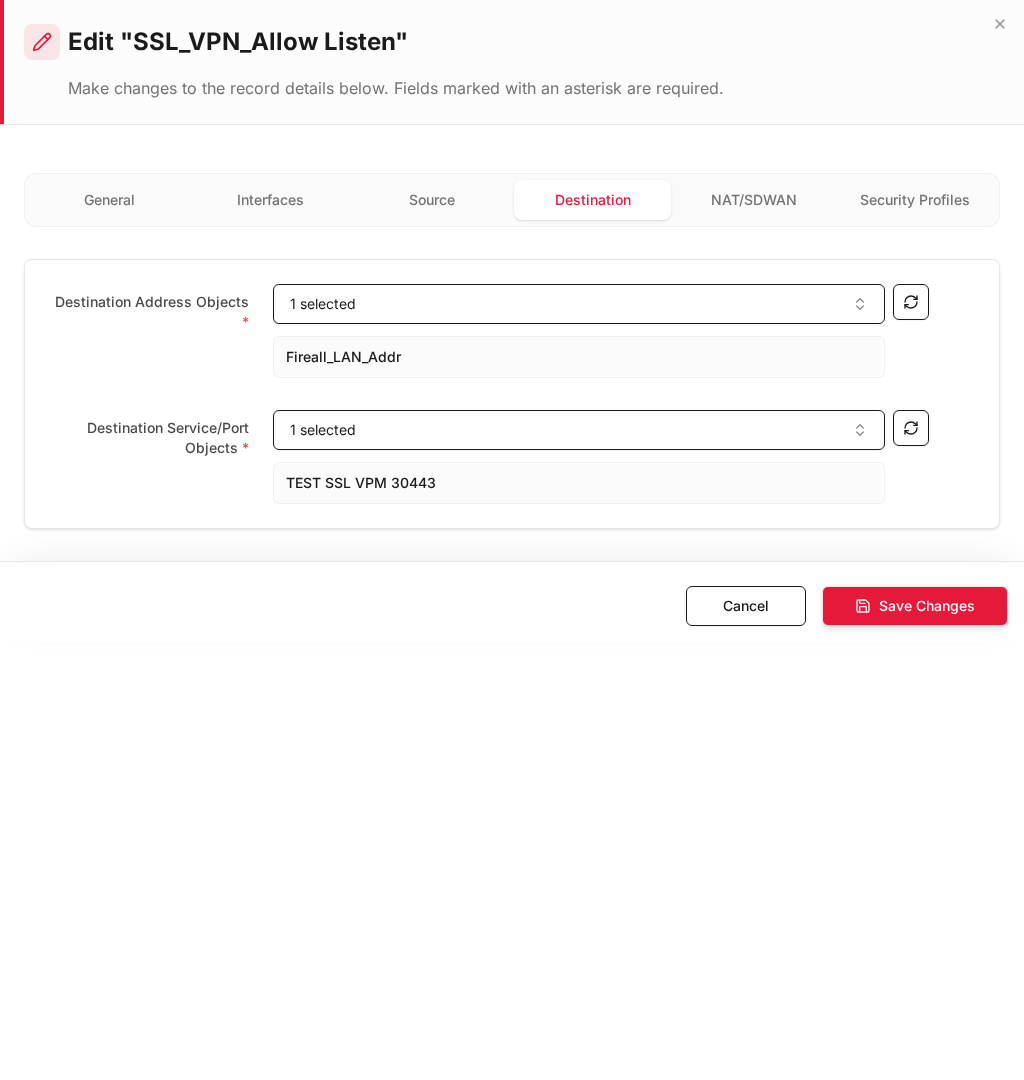
Destination tab
| Field | Example |
|---|---|
| Destination Address Objects * | WAN_VIP_Listen (203.0.113.10) |
| Destination Service/Port Objects * | SSL-VPN-Staff-1194 |
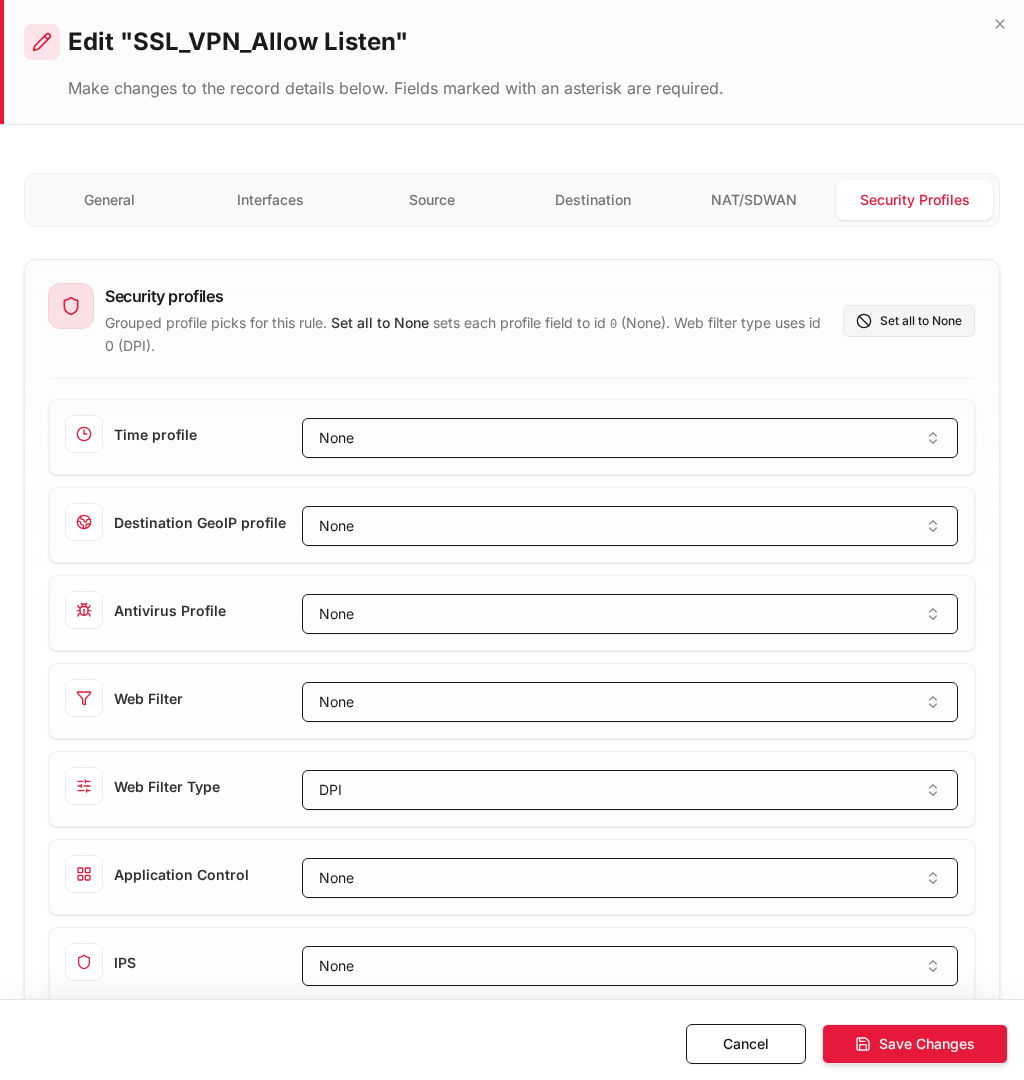
Security Profiles tab — time and more
| Field | Example |
|---|---|
| Time profile | Work_Hours_Sun_Thu (08:00–17:00) |
| IPS | Optional |
| Web Filter | Optional |
Repeat Rule 1 for ports 1195 and 1196 (Contractors, Guests) or combine if one VIP serves all ports.
Step 4 — Rule 2: Allow VPN users → LAN assets
Create one rule per pool for full separation — each rule matches only that pool’s tun_srv_* interface and address range.
General
| Field | Staff example |
|---|---|
| Rule Name | SSL_VPN_Staff_to_LAN |
| Rule Type | policy |
| Action | Allow |
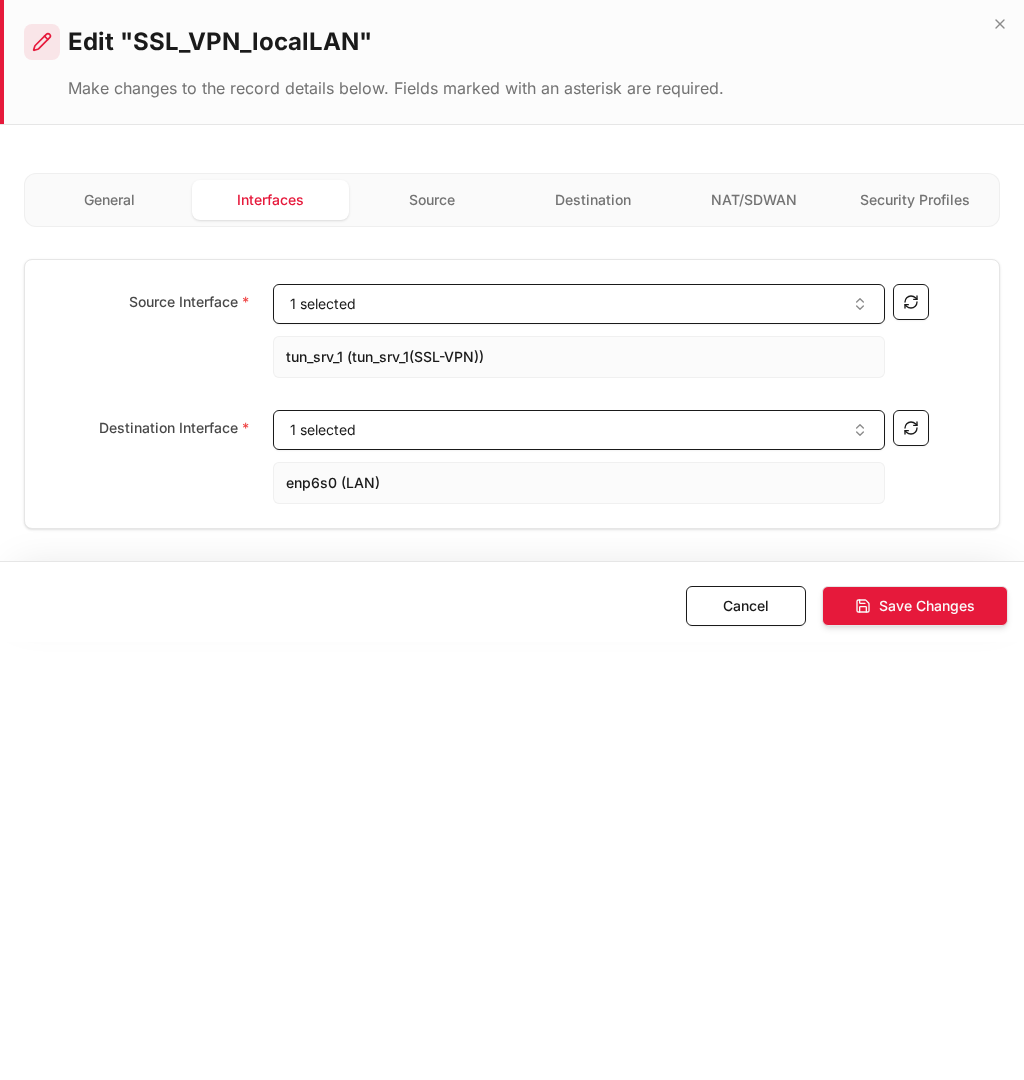
Interfaces
| Field | Staff | Contractors | Guests |
|---|---|---|---|
| Source Interface * | tun_srv_1 (SSL-VPN-Staff) |
tun_srv_2 (...) |
tun_srv_3 (...) |
| Destination Interface * | enp6s0 (LAN) |
enp6s0 (LAN) |
enp6s0 (LAN) |
Source tab
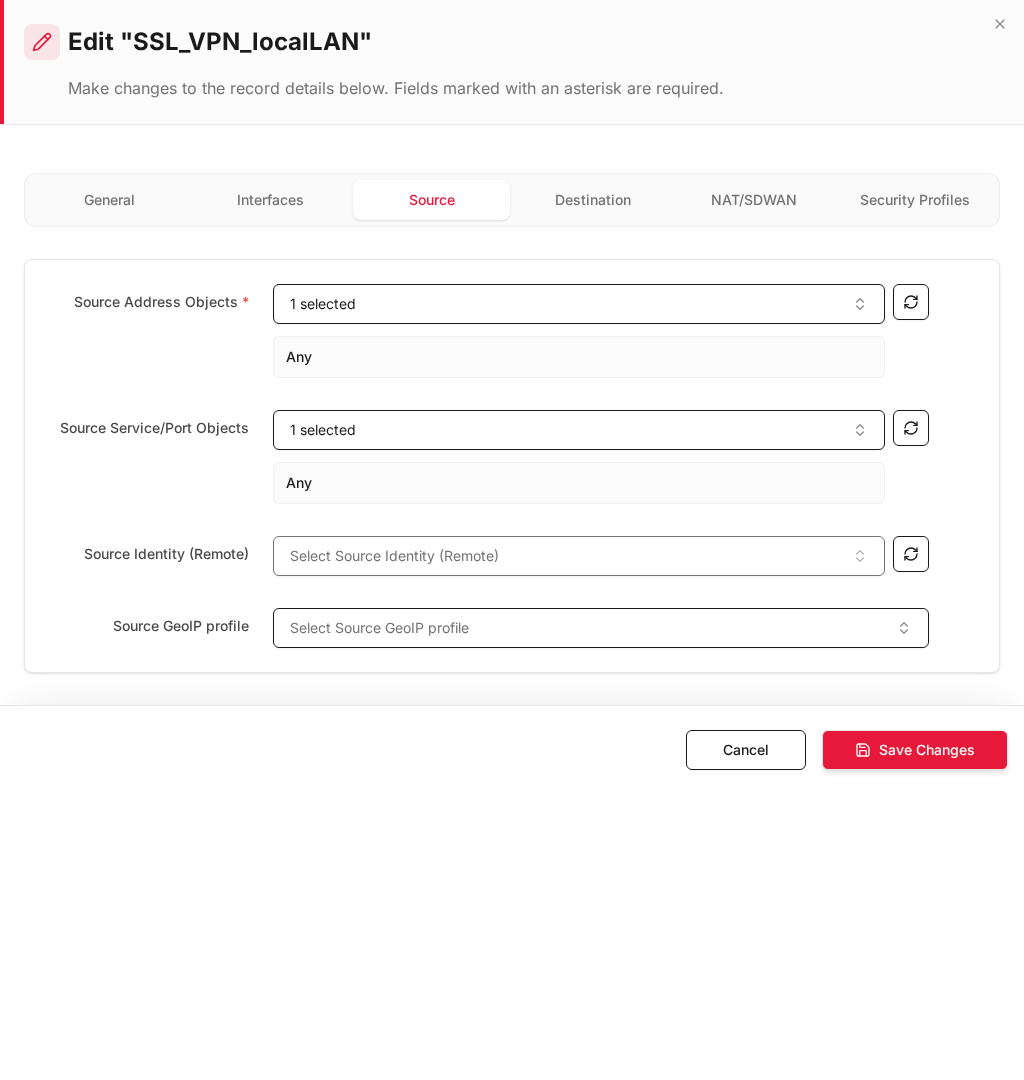
| Field | Staff | Contractors | Guests |
|---|---|---|---|
| Source Address Objects * | SSL_Pool_Staff 10.8.1.0/24 |
SSL_Pool_Contractors |
SSL_Pool_Guests |
Restrict to the VPN client pool for that profile — do not use Any if you need separation.
Destination tab
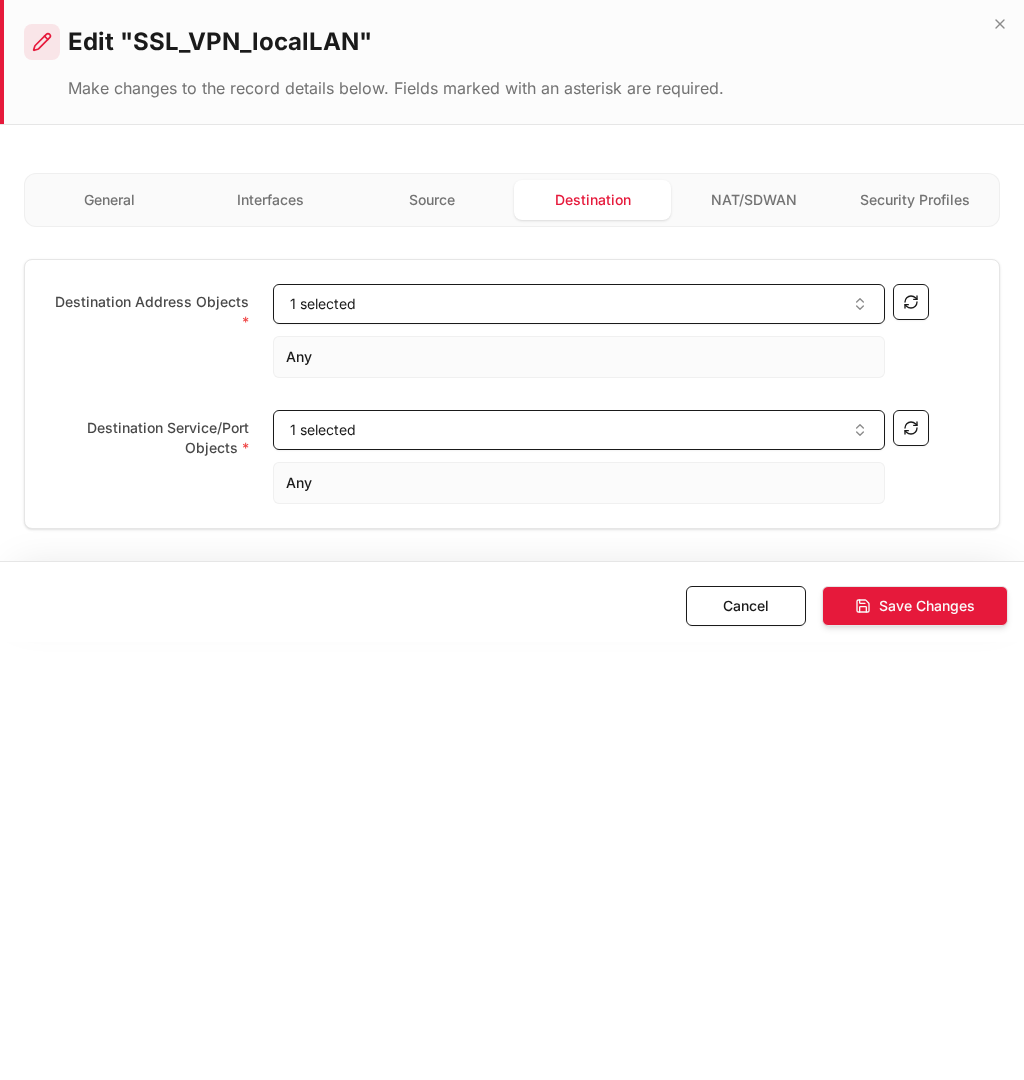
| Field | Staff | Contractors | Guests |
|---|---|---|---|
| Destination Address Objects * | LAN_Network |
LAN_Server_App |
LAN_Guest_Portal |
| Service | Any or HTTPS, RDP |
App ports only | HTTPS |
Step 5 — Install Policy and verify
- Click Install Policy.
- Test each profile independently.
| Test | Client | Expected |
|---|---|---|
| Listen from allowed country | External IP in GeoIP whitelist → 203.0.113.10:1194 |
Connect OK |
| Listen outside hours | Same, outside Time profile | Blocked |
| Staff → LAN | User in staff_users, IP 10.8.1.50 |
Reach 192.168.100.0/24 |
| Contractor isolation | User in contractor_users, IP 10.8.2.50 |
Reach 192.168.100.50 only — not full LAN |
| Guest isolation | Guest IP 10.8.3.50 |
Reach guest portal only |
| Cross-pool block | Contractor client to 192.168.100.10 |
Denied (Rule 2 dest restricted) |
Monitor at Logs & Events → SSL/ZTA Logs and ZTA Connected Clients.
Two-rule summary (per pool)
| Rule 1 — Allow Listen | Rule 2 — VPN → LAN | |
|---|---|---|
| Purpose | Publish VPN port to internet | Connected users reach LAN |
| Source interface | enp9s0 (WAN) |
tun_srv_N (SSL-VPN-*) |
| Destination interface | Local VIP |
enp6s0 (LAN) |
| Rule type | dnat (VIP) |
policy |
| Source address | Any + optional Source GeoIP |
VPN pool (10.8.x.0/24) |
| Destination address | VIP + SSL port | LAN assets (per pool) |
| Time / GeoIP | Time profile, Source GeoIP | Optional IPS / Web filter |
| Example | Internet → 203.0.113.10:1194 |
10.8.1.50 → 192.168.100.20 |
Multi-pool separation checklist
| # | Check |
|---|---|
| 1 | Separate ZTA/SSL Access profile per pool (unique port + VPN IP pool) |
| 2 | Unique tun_srv_N interface per profile |
| 3 | Rule 1: WAN → Local VIP, Rule Type dnat |
| 4 | Rule 2: tun_srv_N → LAN, Source = pool CIDR only |
| 5 | Rule 2: Destination = least privilege LAN object per pool |
| 6 | Different Allowed Users / groups per profile |
| 7 | Install Policy after all changes |
Troubleshooting
| Symptom | Check |
|---|---|
| Cannot connect from internet | Rule 1 exists? WAN source IF? VIP + port match Listen IP/Port? |
| Connection OK but no LAN access | Rule 2: Source IF = correct tun_srv_*? Pool object matches assigned client IP? |
| Pools not isolated | Separate profiles + Rule 2 destination restricted per pool |
| GeoIP block | Source GeoIP on Rule 1 (WAN inbound), not Destination GeoIP |
| Wrong hours | Time profile on Rule 1 Security Profiles tab |