Administrator RBAC (Read / Write Access)
Navigation: Scenarios → Admin RBAC Profiles
Create access profiles with different permission levels and assign them to administrator accounts. This scenario sets up four common roles:
| Role | Access level | Typical user |
|---|---|---|
| Read-Only Auditor | View all allowed pages — no changes | Compliance / audit team |
| Monitoring Viewer | View Overview + Logs only | NOC display / junior analyst |
| Section Read/Write | Read/write on assigned sections, read-only on others | Network or security operators |
| Super Admin | Full read/write everywhere | Primary firewall administrator |
Access model
TOORCE uses Role-Based Access Control (RBAC) through Access profiles (User Management → Access profiles). Each profile defines:
- Which sidebar sections appear in the admin panel
- Permission level per section — None, Read (view), or Read/Write
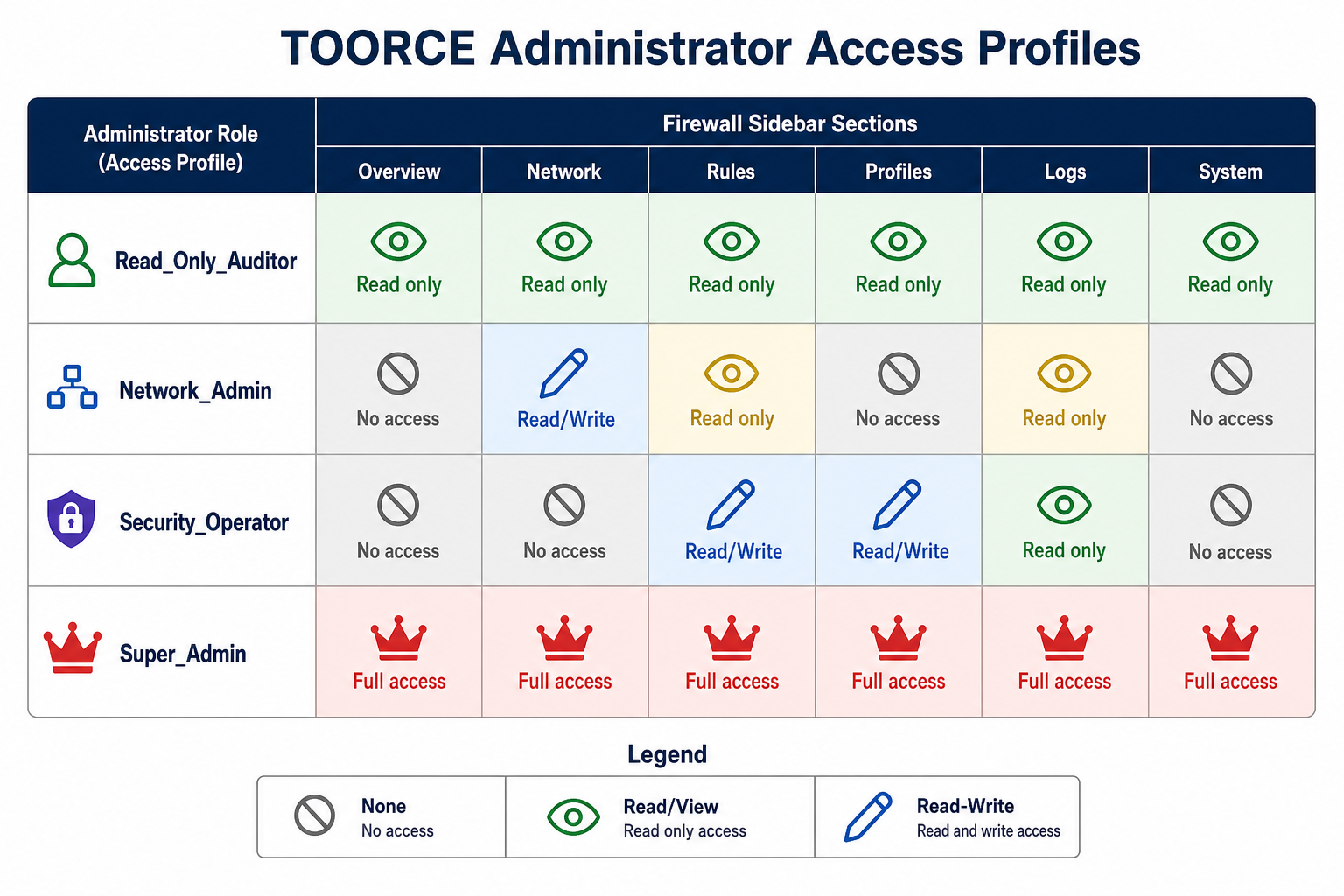
Figure 1 — Example permission matrix for four administrator roles
Permission levels
| Level | What the admin can do |
|---|---|
| None | Section hidden — not visible in sidebar |
| Read | Open pages, view settings and logs — Save / Add / Edit disabled |
| Read/Write | Full configuration — create, edit, delete, install policy |
Leave Access profile empty on an administrator account for Super Admin (full access to all sections).
Prerequisites
- Super-admin account to create profiles and users
- Planned list of teams and which firewall areas each team may change
- MFA enabled on privileged accounts (recommended)
Step 1 — Create access profiles
Go to User Management → Access profiles → + Add New.
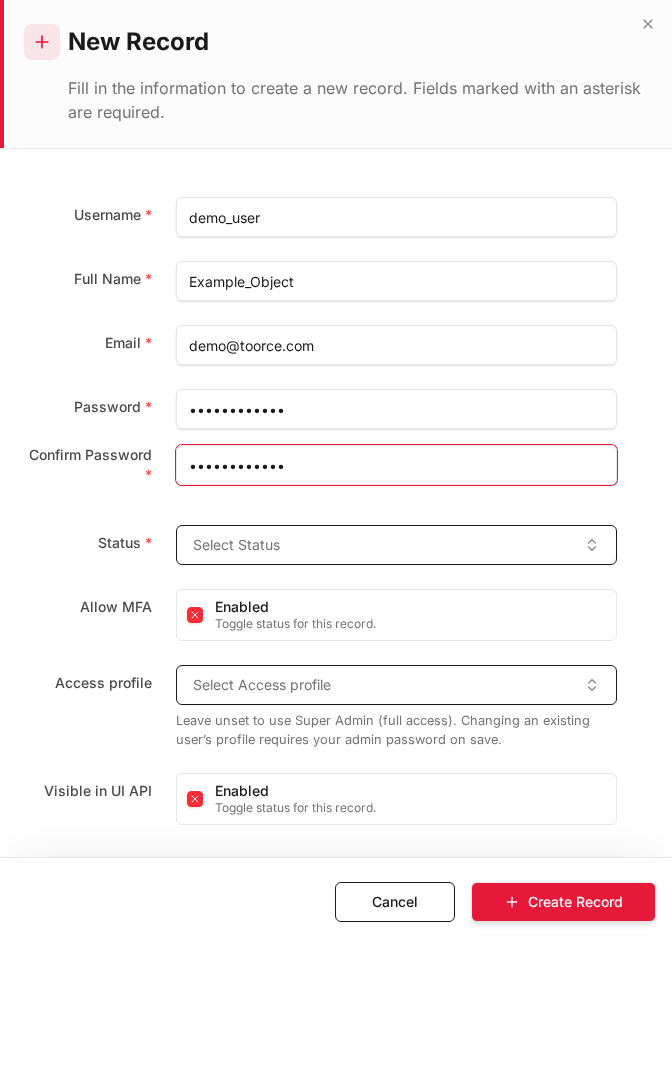
Create the profiles below. Adjust section names to match your TOORCE sidebar labels.
Profile A — Read_Only_Auditor
For admins who may review configuration and logs but must not change anything.
| Field | Value |
|---|---|
| Profile Name | Read_Only_Auditor |
| Description | Audit and compliance — view only |
| Status | Active |
Section permissions:
| Section | Permission |
|---|---|
| Overview | Read |
| Network Settings | Read |
| Aliases & Objects | Read |
| Rules & Policies | Read |
| Security Profiles | Read |
| VPN Tunnels | Read |
| Logs & Events | Read |
| System Settings | Read |
| User Management | None |
Profile B — Monitoring_Viewer
For staff who only need the dashboard and logs — no configuration pages.
| Field | Value |
|---|---|
| Profile Name | Monitoring_Viewer |
| Description | NOC view — overview and logs only |
Section permissions:
| Section | Permission |
|---|---|
| Overview | Read |
| Logs & Events | Read |
| All other sections | None |
Profile C — Network_ReadWrite
Network team: read/write on network areas, read-only on rules and logs (can view but not edit policies).
| Field | Value |
|---|---|
| Profile Name | Network_ReadWrite |
| Description | Network ops — full network access |
Section permissions:
| Section | Permission |
|---|---|
| Network Settings | Read/Write |
| Aliases & Objects | Read/Write |
| SDWAN | Read/Write |
| Rules & Policies | Read |
| Logs & Events | Read |
| Security Profiles | None |
| System Settings | None |
| User Management | None |
Profile D — Security_ReadWrite
Security team: read/write on rules and profiles, read-only on logs.
| Field | Value |
|---|---|
| Profile Name | Security_ReadWrite |
| Description | Security ops — policies and profiles |
Section permissions:
| Section | Permission |
|---|---|
| Rules & Policies | Read/Write |
| Security Profiles | Read/Write |
| Aliases & Objects | Read/Write |
| Logs & Events | Read |
| Network Settings | Read |
| System Settings | None |
| User Management | None |
- Click + Create Record for each profile.
Step 2 — Create administrator accounts
Go to User Management → Administrators → + Add New.
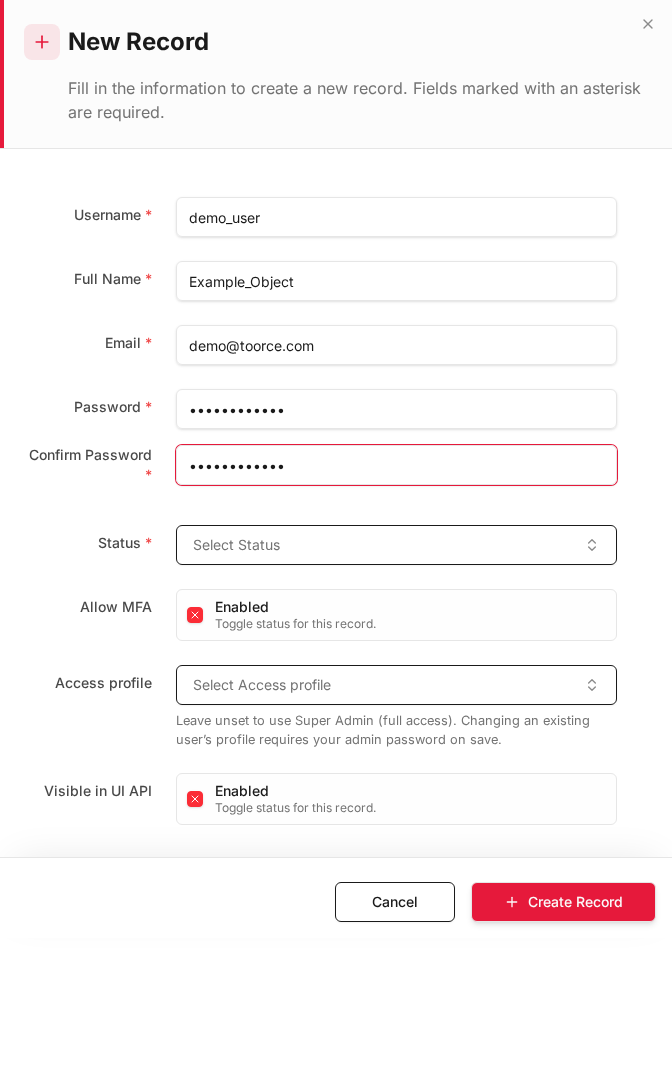
Create one account per role:
Read-only auditor
| Field | Value |
|---|---|
| Username | auditor1 |
auditor@toorce.com |
|
| Full Name | Compliance Auditor |
| Access profile | Read_Only_Auditor |
| Allow MFA | Enabled |
| Status | Active |
Monitoring viewer
| Field | Value |
|---|---|
| Username | noc_viewer |
| Access profile | Monitoring_Viewer |
| Allow MFA | Enabled |
Network administrator (partial read/write)
| Field | Value |
|---|---|
| Username | netadmin |
| Access profile | Network_ReadWrite |
| Allow MFA | Enabled |
Security administrator (partial read/write)
| Field | Value |
|---|---|
| Username | secadmin |
| Access profile | Security_ReadWrite |
| Allow MFA | Enabled |
Super administrator (full access)
| Field | Value |
|---|---|
| Username | admin |
| Access profile | (leave empty — Super Admin) |
| Allow MFA | Enabled |
Changing an existing user's Access profile may require the super-admin password on save.
Step 3 — Verify each role
Log out and sign in as each test account. Confirm behaviour matches the profile:
| Account | Expected sidebar | Expected actions |
|---|---|---|
auditor1 |
Most sections visible | All Save / Add / Edit buttons disabled |
noc_viewer |
Overview, Logs only | Can view dashboards and logs — nothing else |
netadmin |
Network, Objects, SDWAN + read Rules/Logs | Can edit interfaces/routes; cannot save inline rules |
secadmin |
Rules, Profiles, Objects + read Logs/Network | Can edit rules/profiles; cannot change system settings |
admin |
All sections | Full read/write |
Verification checklist
| Check | Pass criteria |
|---|---|
| Hidden sections | Not listed in sidebar for that user |
| Read-only section | Page opens; configuration controls greyed out or blocked |
| Read/write section | Add New, Edit, Save work normally |
| Policy install | Only Read/Write roles on Rules can install policy |
| API | Same restrictions apply to UI API for that admin |
Step 4 — Ongoing administration
| Task | Who |
|---|---|
| Create new access profiles | Super Admin only |
| Assign profile to new hire | Super Admin |
| Promote user to Read/Write | Change Access profile on administrator record |
| Demote to read-only | Assign Read_Only_Auditor or Monitoring_Viewer |
| Disable account | Set Status to Inactive |
Review administrator accounts quarterly and remove unused logins.
Example permission matrix (summary)
| Section | Auditor | NOC Viewer | Network Admin | Security Admin | Super Admin |
|---|---|---|---|---|---|
| Overview | Read | Read | Read | Read | Read/Write |
| Network Settings | Read | — | Read/Write | Read | Read/Write |
| Rules & Policies | Read | — | Read | Read/Write | Read/Write |
| Security Profiles | Read | — | — | Read/Write | Read/Write |
| Logs & Events | Read | Read | Read | Read | Read/Write |
| System Settings | Read | — | — | — | Read/Write |
| User Management | — | — | — | — | Read/Write |
(— = no access / section hidden)
Security recommendations
- Never share the super-admin account — create named admins with profiles
- Enable MFA on every administrator
- Use Read_Only_Auditor for external auditors instead of sharing super-admin credentials
- Restrict User Management to super-admin only — prevent privilege escalation
- Set Admin Session Timeout under System Settings → General