Network Interfaces
Navigation: Network Settings → Interfaces
Configure physical network interfaces, IP addressing, DHCP, VLANs, and per-interface admin access. Interfaces must be configured before creating firewall rules that reference them.
Add / Edit forms
Click + Add New to open the creation dialog, or Edit on an existing row to modify a record.
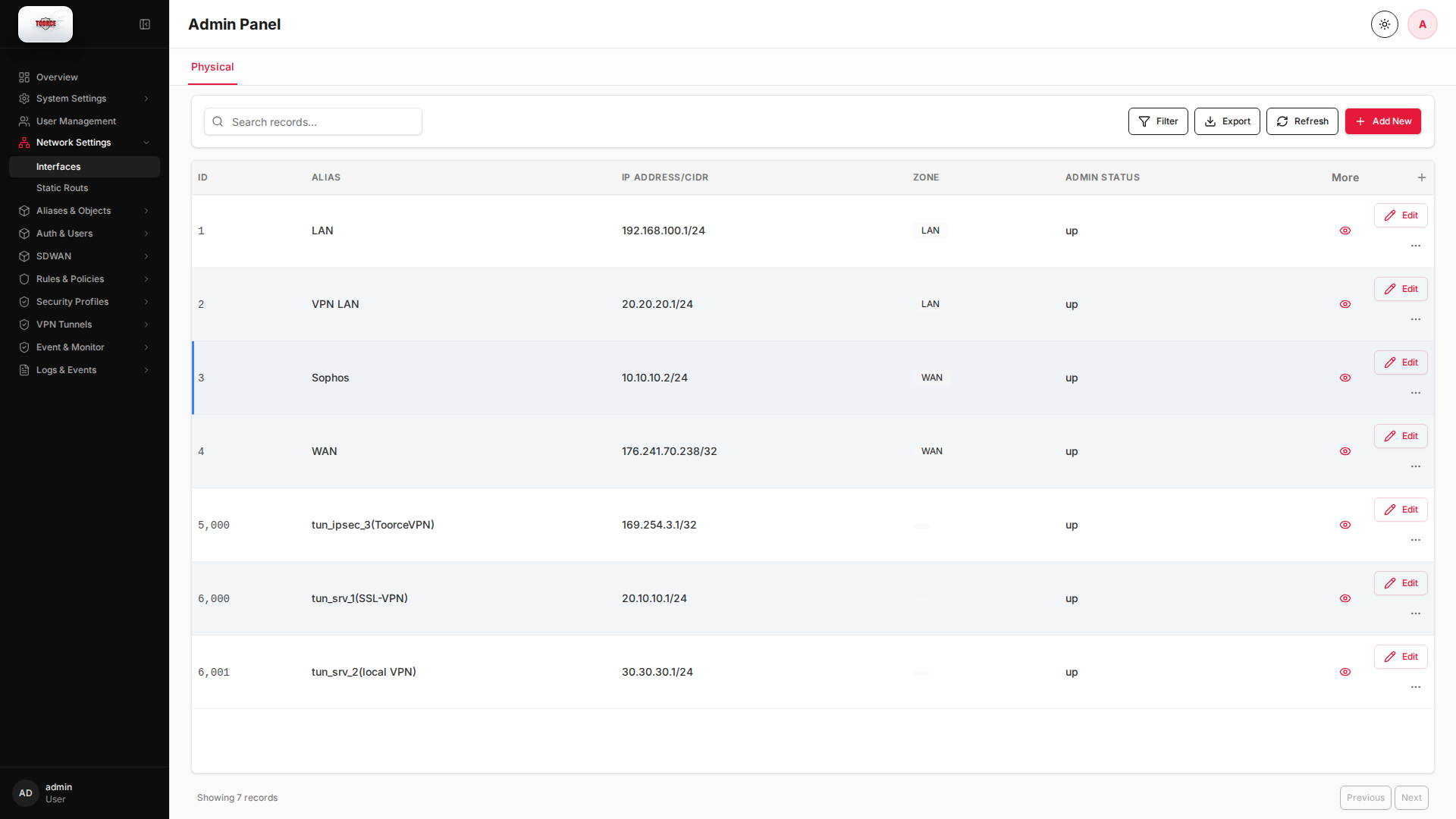
List view
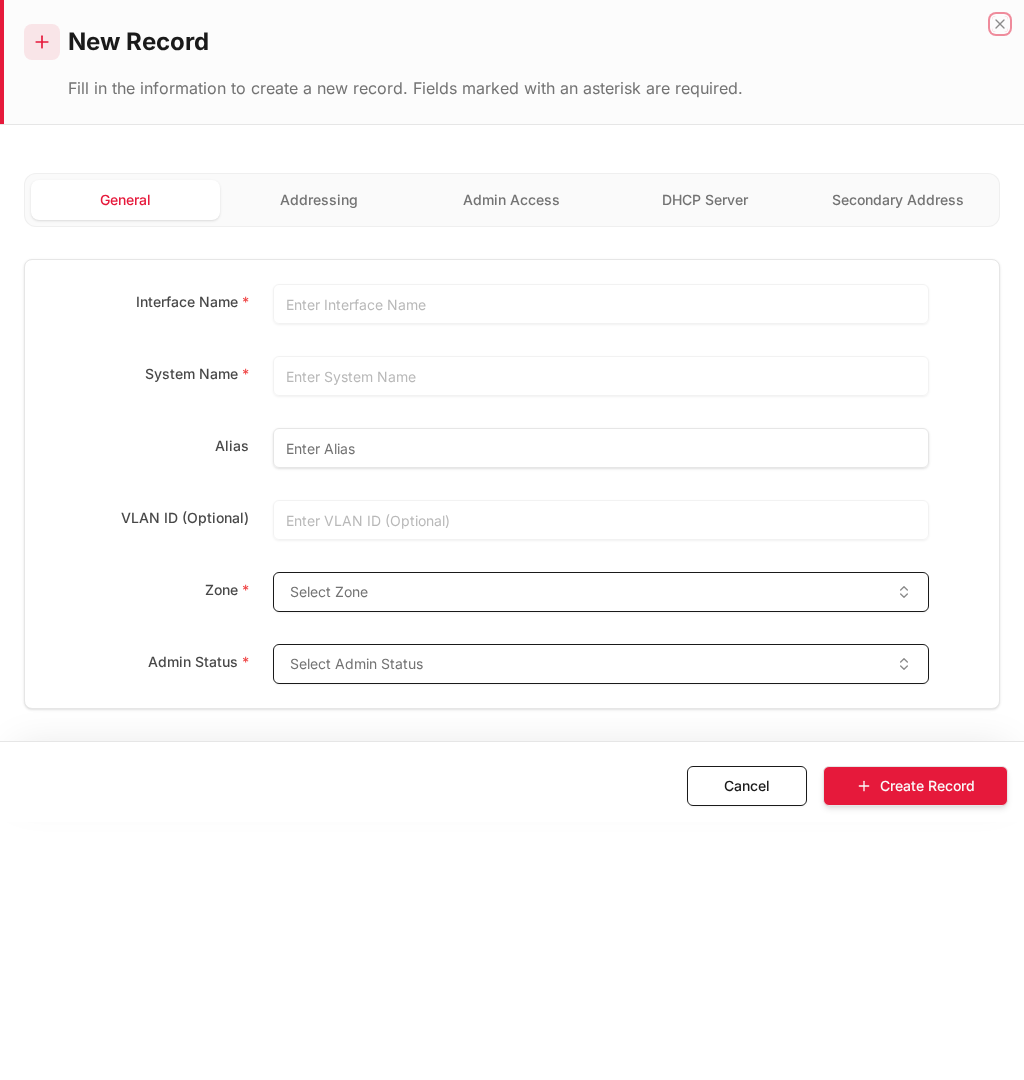
Add form
Empty form after clicking + Add New:
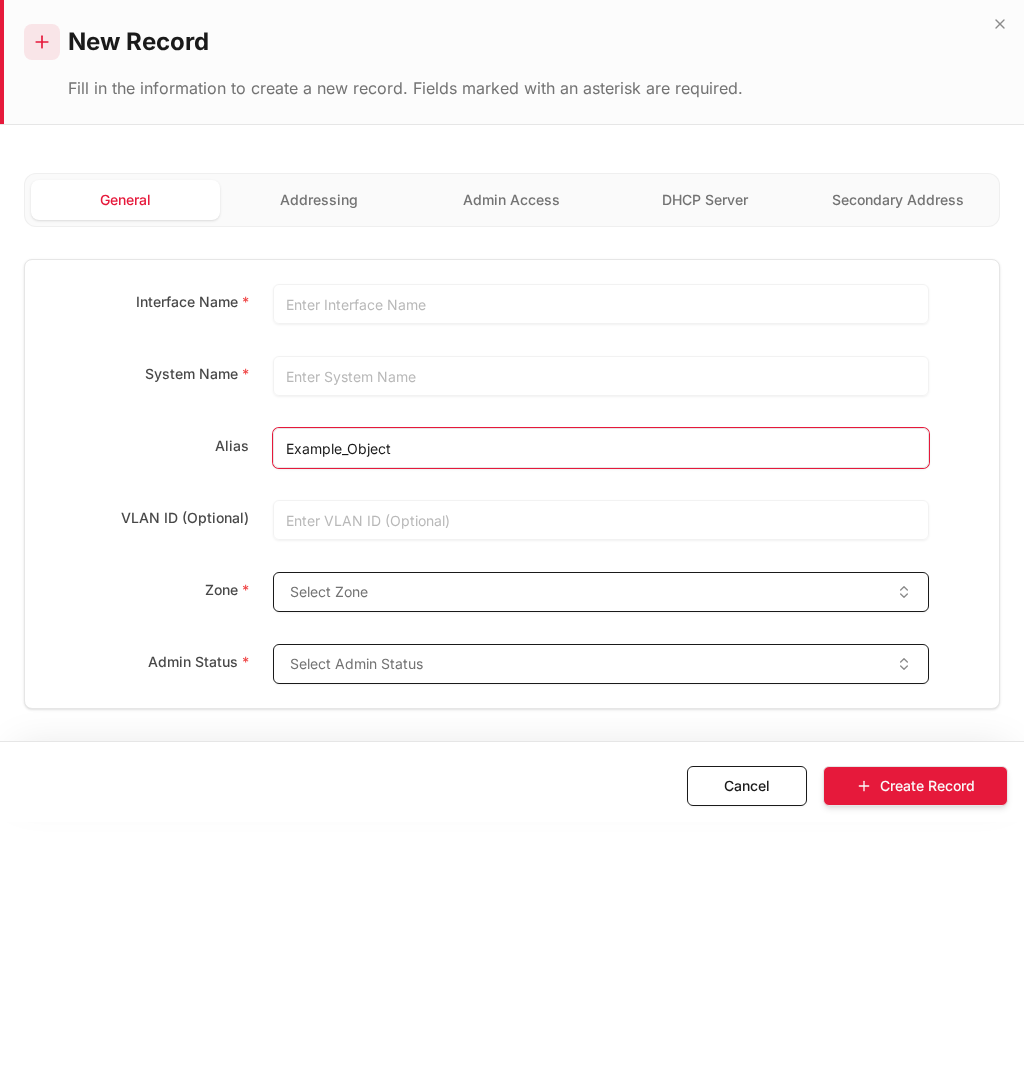
Same form filled with example data (do not save in production):
Edit form
Existing record opened with Edit:
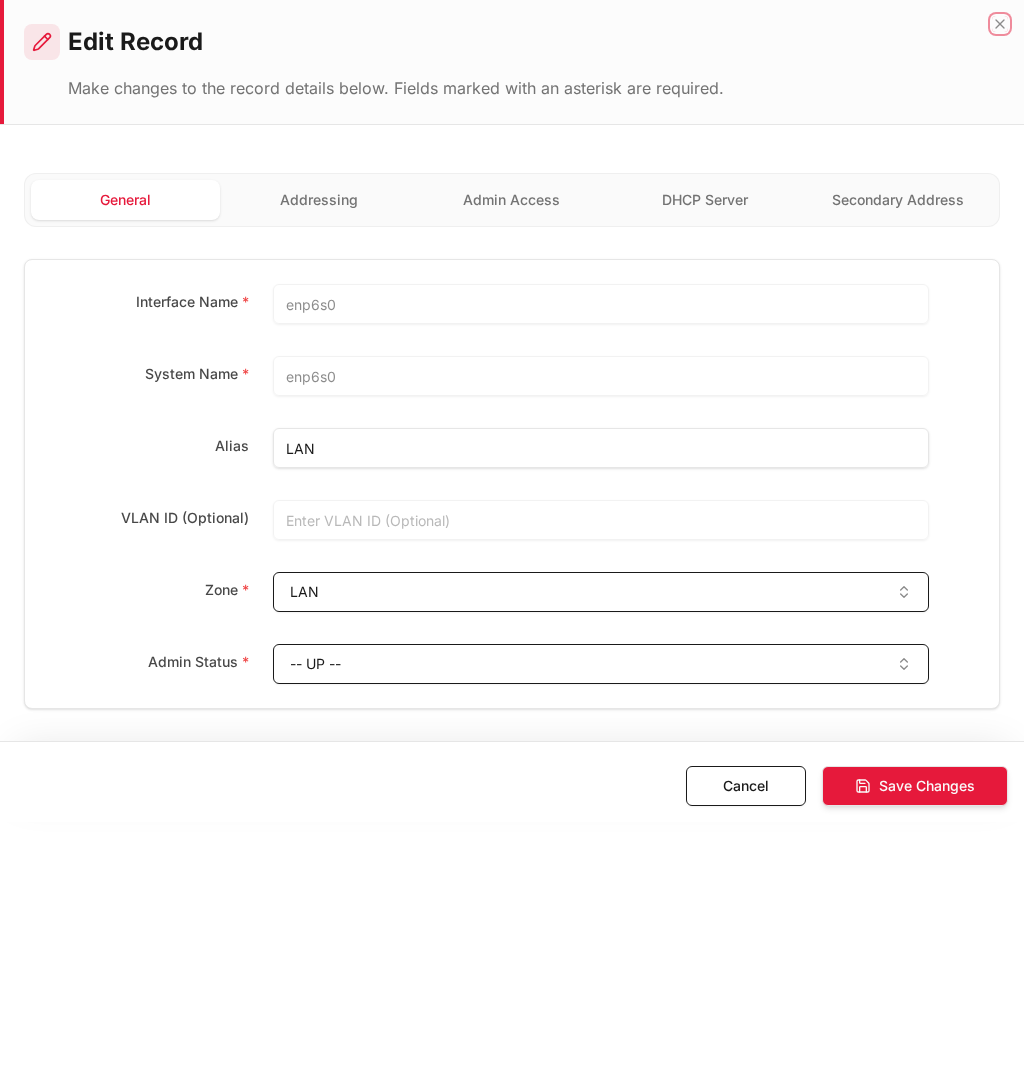
Form fields explained
Dialog title: New Record — Interface
Tabs: General · Addressing · Admin Access · DHCP Server · Secondary Address
| Field | Required | Description | Example value |
|---|---|---|---|
| Interface Name | Yes | System interface name (e.g. enp6s0) | enp6s0 |
| System Name | Yes | OS-level interface identifier | enp6s0 |
| Alias | No | Friendly name shown in rules (LAN, WAN) | LAN |
| VLAN ID | No | 802.1Q VLAN tag if applicable | 100 |
| Zone | Yes | Security zone (LAN, WAN, DMZ) | LAN |
| Admin Status | Yes | Enable or disable the interface | Enabled |
Technical background
Network interfaces and zones
Each interface represents a physical or virtual NIC on the firewall. Interfaces are assigned to zones (LAN, WAN, DMZ) which determine the default trust level and how rules match traffic.
Key concepts
| Concept | Explanation |
|---|---|
| Static IP | Manually configured address — typical for servers and firewalls |
| DHCP client | Interface receives IP from upstream router/ISP |
| PPPoE | Common on WAN links for DSL/fiber ISP authentication |
| DHCP server | Firewall assigns IPs to LAN clients from a defined pool |
| VLAN | 802.1Q tag separates logical networks on one physical port |
Security relevance
Admin access should only be enabled on trusted management interfaces (LAN), never on WAN. Trusted Hosts restricts which source IPs can reach the admin UI — a critical hardening step that prevents internet-wide brute-force attacks on port 10443.
Table columns
| Column | Description |
|---|---|
| ID | Record ID |
| Alias | Friendly display name (e.g. LAN, WAN) |
| IP Address/CIDR | Interface IP and subnet mask |
| Zone | Security zone assignment |
| Interface Name | System name (e.g. enp6s0, enp9s0) |
| Address Mode | Static, DHCP client, or PPPoE |
| DHCP Mode | Off, Server, or Relay |
| DHCP Server | Whether DHCP server is active |
| HTTPS/HTTP/SSH Admin | Admin access allowed on this interface |
| SSO listener | SSO service on this interface |
| Trusted Hosts | IPs allowed to manage via this interface |
| VLAN ID | VLAN tag (if applicable) |
| Secondary addr | Secondary IP enabled |
How to configure an interface
- Go to Network Settings → Interfaces.
- Click Edit on the interface row (or Add New for VLAN).
- Fill in the form:
IP addressing
| Field | Description | Example |
|---|---|---|
| Interface Name | System interface (read-only on physical) | enp6s0 |
| Alias | Friendly name shown in rules | LAN |
| IP Address/CIDR | Static IP with CIDR | 192.168.100.1/24 |
| Address Mode | Static / DHCP / PPPoE | Static |
| Enable Secondary Address | Add a second IP | Off |
| DNS Server | DNS for this interface | 8.8.8.8 |
| Domain Name | Local domain | local.lan |
DHCP server (LAN interfaces)
| Field | Description | Example |
|---|---|---|
| DHCP Mode | Server / Relay / Off | Server |
| DHCP Server Status | Enable/disable | Enabled |
| DHCP Start IP | Pool start | 192.168.100.100 |
| DHCP End IP | Pool end | 192.168.100.200 |
| DHCP Gateway | Default gateway given to clients | 192.168.100.1 |
| DHCP DNS | DNS given to clients | 8.8.8.8 |
Admin access
| Field | Description | Recommended |
|---|---|---|
| HTTPS Admin | Web UI on this interface | ✓ on LAN only |
| HTTP Admin | Unencrypted web UI | ✗ disable on WAN |
| SSH Admin | CLI access | ✓ on management VLAN |
| SSO listener | SSO authentication port | As needed |
| Trusted Hosts | Restrict admin to specific IPs | 192.168.100.0/24 |
- Click Save.
Example: LAN interface (enp6s0)
| Field | Value |
|---|---|
| Alias | LAN |
| IP Address/CIDR | 192.168.100.1/24 |
| Address Mode | Static |
| DHCP Mode | Server |
| DHCP Start/End | 192.168.100.100 – 192.168.100.200 |
| HTTPS Admin | Enabled |
| Trusted Hosts | 192.168.100.0/24 |
Example: WAN interface (enp9s0)
| Field | Value |
|---|---|
| Alias | WAN |
| Address Mode | Static or PPPoE |
| HTTPS/HTTP/SSH Admin | Disabled |
| Trusted Hosts | Empty |
Where interfaces are used
| Location | Field |
|---|---|
| Inline Rules | Source Interface, Destination Interface |
| Static Routes | Interface (dev) |
| SDWAN Multi-WAN | Interface Name |
| VPN Tunnels | Local binding interface |
| DHCP Leases log | Per-interface lease files |